Overview
This guide provides a step-by-step process for adding a marketing type.
Steps
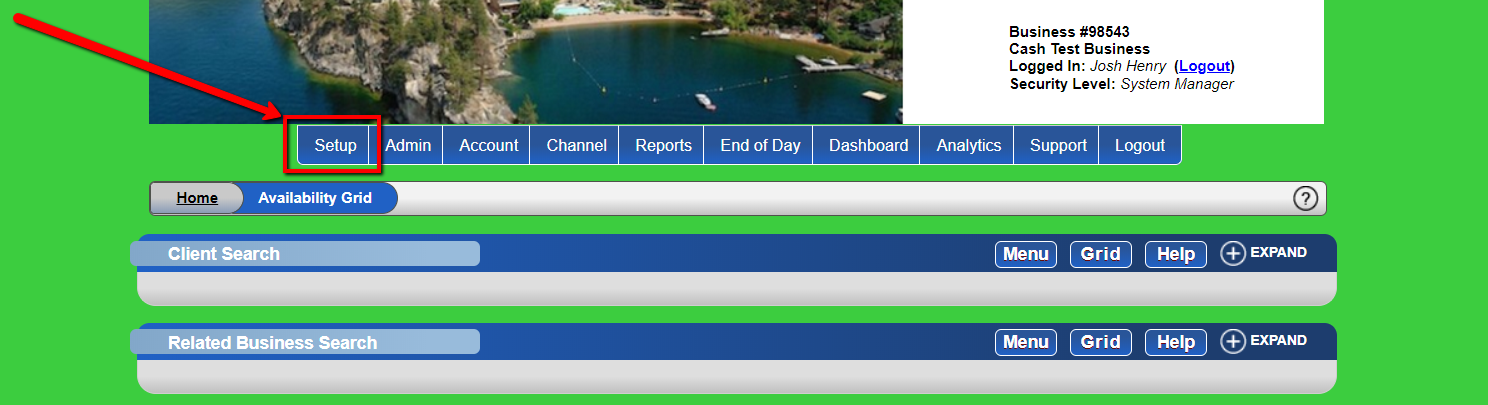
- Navigate to Setup
- Go to "Setup".
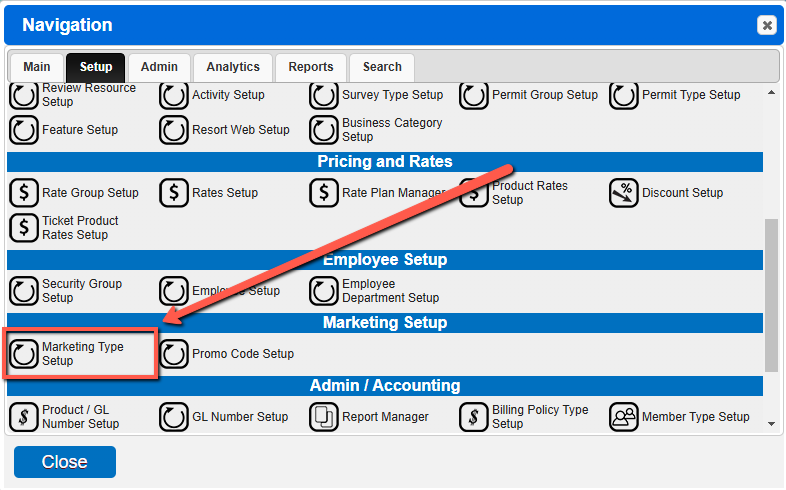
- Access Marketing Setup
- Click Marketing Setup from the menu.
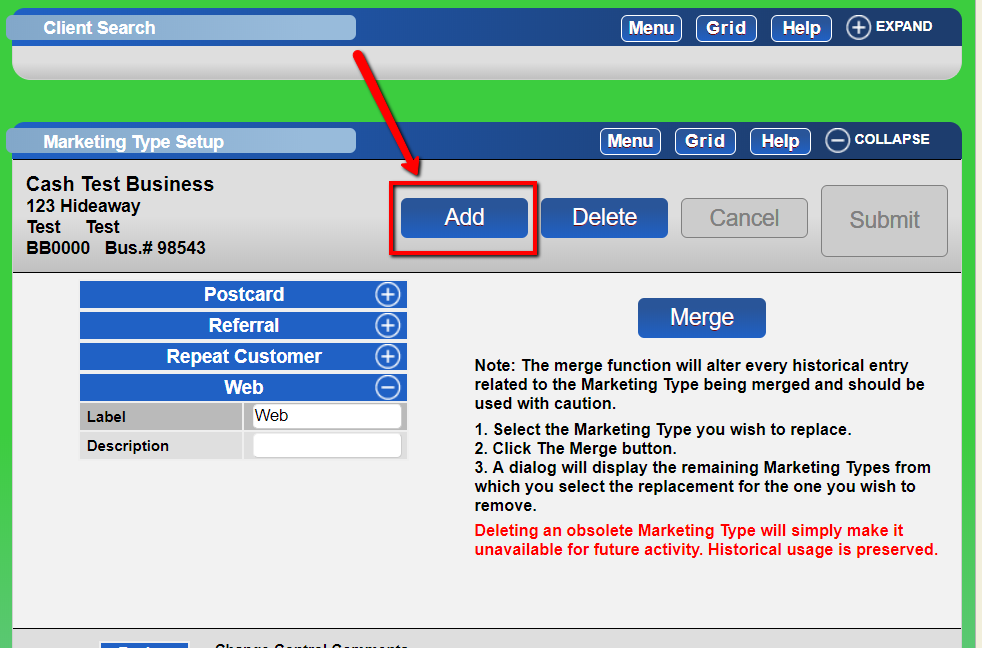
- Add Marketing Type
- Click the "Add" button and fill out the Name of the marketing type.
-
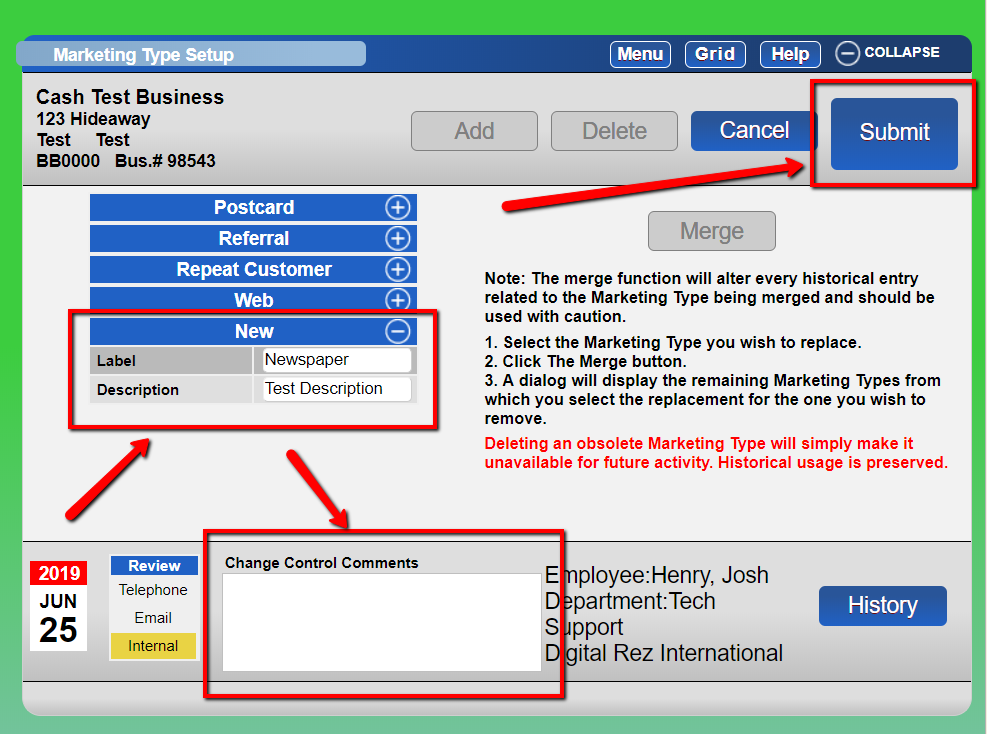
- Submit Changes
- Enter the change control comment in the footer and click "Submit".
Troubleshooting
- Marketing Type reporting is available in Marketing Type Statistics panel and the Marketing Report.
- Character Limit: 25 characters.