Overview
A reservation can be removed from a Group Booking to be made into a single reservation.
Steps
Remove Button
- Select the Group Booking from the Availability Grid.
- Click on the desired reservation on the Grid. The reservation’s till tape will display.
- Click Guest Folio to open the Guest Folio.
- If the wrong reservation is selected, choose the appropriate reservation from the Group Booking Summary list.
- Click Remove.
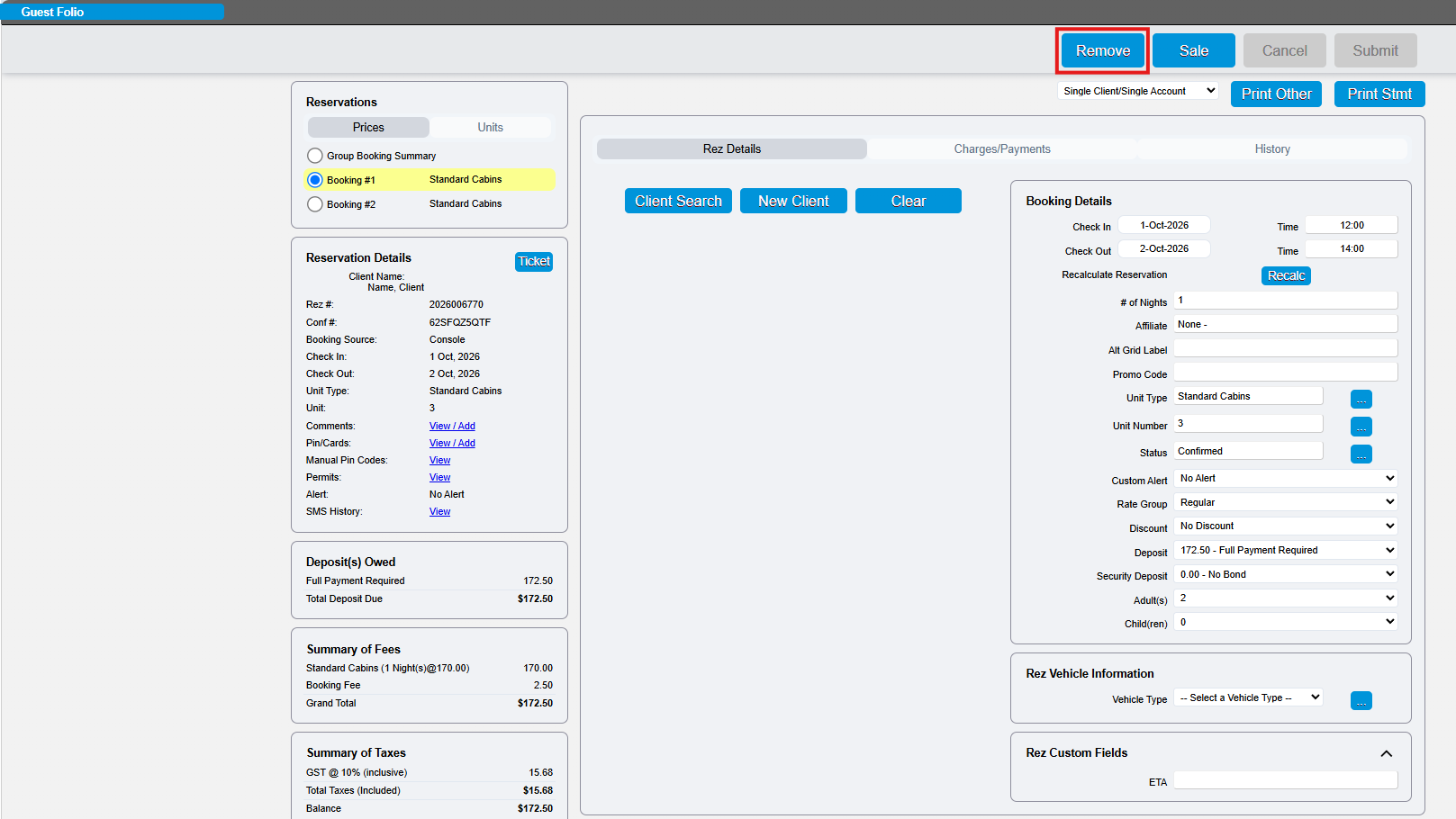
- A message box will appear asking if you would like to proceed.
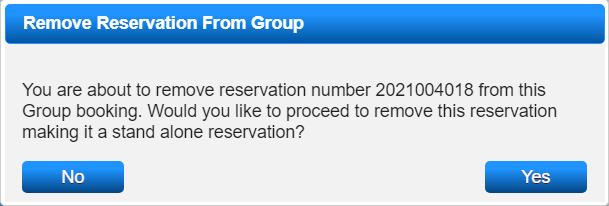
- Click Yes to proceed with removing the reservation.
- The reservation will become a single reservation.
Client Details
- All reservations removed from a Group Booking will retain the Client Details entered at the Group Booking Summary Level.
- If Client Details need adjustment, click Add New Client to enter the details of the guest staying.
- Do not overwrite the details within the removed reservation, as this will result in the loss of the original Client’s detail record.
Troubleshooting
- Reservations can not be removed from a Group booking if a payment has been applied to the reservation.